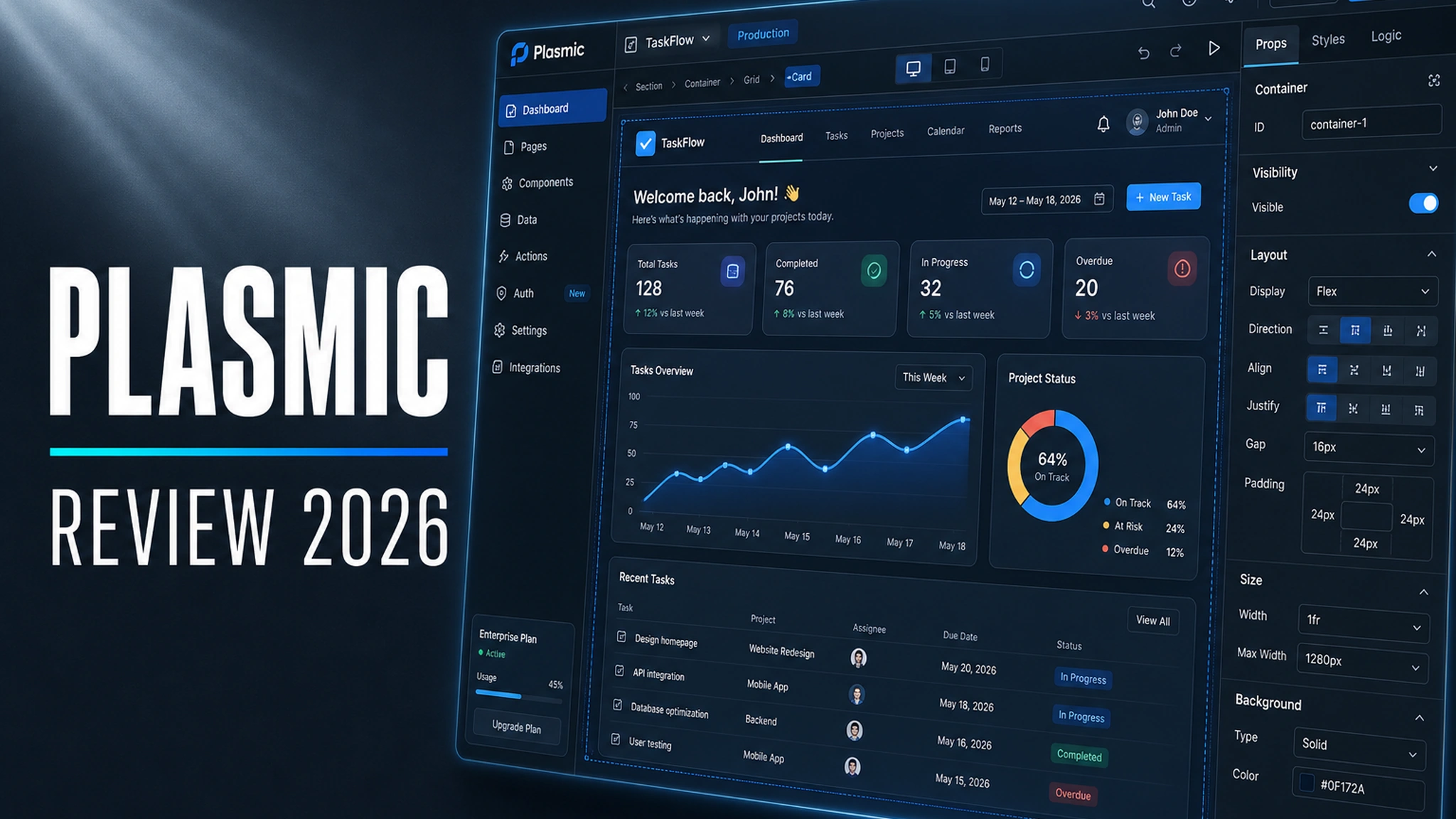
Almost every team building a React frontend eventually runs into the same wall: marketing needs a new landing page “yesterday”, while the developers have a refactor sitting in the backlog that nobody has cancelled. The classic way out is to drop the marketer into a separate no-code system and then spend months fixing design-system drift. The second way out is to hire another frontend developer to hand-code landing pages instead of working on the product. Plasmic offers a third option: a visual editor that lives inside your React code and ships not a picture, but real components.
That sounds like an ad, so let’s be upfront: this approach has a very concrete cost in the form of architectural trade-offs, a dependency on someone else’s CDN and licensing nuances the sales page stays quiet about. Below is an honest breakdown of what Plasmic can do, what it can’t, what it costs, and who it suits — and who it emphatically does not.
What Plasmic is and what makes it different
Plasmic (plasmic.app) is a product from Plasmic Inc., a visual builder for web apps and a “visual CMS”. Technically it’s a SaaS: the editor itself, called Plasmic Studio, runs in the cloud and is available on subscription. But the positioning is different from Webflow or Framer. Those generate a site inside their own hosting; Plasmic plugs into an existing codebase. Developers register their React components with Plasmic, and designers and content editors assemble pages from those same components in the visual editor. The output isn’t a PNG or a separate site — it’s real code that lives in your repository.
The key line from the vendor’s own materials goes like this: with Plasmic you are “never locked into a walled garden”. Unlike most no-code and low-code builders, here you can bring your own components, UI elements, data sources, deployment environments and custom controls. It’s the deep integration with code, not the polish of the editor, that makes people choose Plasmic.
Who the tool is for
Plasmic is not a mass-market “for everyone” product. It’s aimed at teams that already have a React codebase and the people who maintain it. You can single out four types of users who get different value from Plasmic.
Developers get a way to offload routine markup work. They integrate Plasmic into the project once, register design-system components as “building blocks”, and from then on control how freely non-developers can assemble pages. It’s the developer who decides which component properties are visible in the editor and which are hidden — an important element of control that ordinary builders lack.
Designers work in a full visual editor with pixel control: grids, spacing, typography, interactions. For them Plasmic is closer to a Figma that can emit production markup than to a “marketing builder”.
The content team (marketers, editors) is who the whole thing is set up for. They’re placed in a special simplified mode where only pre-approved components are available, with no free-form styling. That way marketing can change copy, images and entire sections without breaking the grid or waiting on developers.
Product teams at larger organizations use Plasmic for internal tools and “magazine-style” app sections that need fast iteration without a full sprint.
The Plasmic Studio visual editor
Plasmic Studio is the main working environment. It doesn’t try to be a Webflow clone: the logic is closer to assembling an interface from ready-made blocks with the option to drop down a level. There are two modes:
- Free design mode — full pixel control: arbitrary layouts, spacing, tokens, animations and interactions.
- Content creator mode — a simplified environment where free-form styling, low-level HTML elements and token management are hidden. The editor works only with permitted components, and a developer can additionally hide individual components from content editors (including via the
hideFromContentCreatorsflag when registering a code component).
The editor supports responsive layouts, reusable components, Figma import and “multiplayer” — real-time collaborative editing, like in Figma. There’s also a darker side users talk about: the interface can feel cluttered compared with more minimalist competitors, and the learning curve for a pure designer is steeper than with Framer.
Code integration: Loader versus Codegen
This is where the most important technical fork sits, the one the whole architecture of your project depends on. Plasmic offers two fundamentally different ways to deliver content into an app.
Loader is the runtime approach. When a page renders, your code fetches design data from Plasmic’s CDN and renders it on the fly. Upside: edits in the editor show up immediately, you can trigger rebuilds via webhooks, and it’s convenient for purely content-driven sites with ISR. The downside worth remembering: the runtime has a hard dependency on Plasmic’s CDN. If the service is unavailable, your pages break — unless you build caching and a fallback yourself. According to community reports and the documentation, Loader is supported first and foremost for Next.js and Gatsby.
Codegen is the build-time approach. Plasmic generates real React/TypeScript code straight into your repository. There is no runtime dependency on the CDN: the generated components are ordinary files in your project. This is the option chosen wherever performance, static generation and full ownership of the output code matter. Many see codegen as the main “safety line”: it’s what lets you walk away from Plasmic without rewriting everything from scratch if you ever need to.
The official scaffolder create-plasmic-app offers starters for Next.js, Gatsby, React (Vite) and TanStack Start. Integrations are also claimed for Remix, Hydrogen, JavaScript and PHP, plus working through the REST API and GraphQL. An important nuance: the set of supported frameworks is uneven — far from all of them are covered under Loader.
Plasmic CMS and team roles
Besides the editor itself, Plasmic ships a built-in structured CMS, Plasmic CMS. The split works like this: “beautiful” free-form pages are assembled in the visual editor, while homogeneous data (blog posts, a product catalog) lives in the CMS and is injected through dynamic bindings. The CMS supports content modeling, versioning and internationalization (localizing content for different regions). At the same time Plasmic “doesn’t dictate” where data comes from: it can also work with external headless CMSs — Contentful, commercial backends, databases and APIs.
A separate strength is roles. Plasmic Studio offers a role model:
- Developer — an editor who can do almost everything, including changing data schemas.
- Designer — full control over styles and content (available on paid tiers).
- Content creator — control over content with limited control over styling; the exact permissions are configured per workspace and project.
- Commenter — can leave comments but not edit.
- Viewer — read-only.
Worth noting a discrepancy in the documentation: one page lists content creator mode as available “on Scale and above”, another as “on Growth and above”. It’s best to confirm the exact boundary with the vendor before upgrading — this is precisely the kind of case where the official pages aren’t fully consistent with each other.
On top of that, Plasmic implements role-based access control (RBAC) for the users of your app — that’s no longer about the editor, but about how you build access rights and private pages inside the product itself.
Teamwork: branches and collaborative editing
For teams with several people on a project, mechanics like branching and review matter. Plasmic has isolated copies of a project that can be reviewed and merged, plus multiplayer and comments. At the Enterprise level, finer-grained permissions, SSO and domain capture come into play. It’s precisely the enterprise features — branch collaboration, cross-project versioned dependencies, and hybrid and on-premise architecture — that Plasmic often cites as its edge over competitors like Builder.io.
Pricing and plans
According to the official site as of October 2026, Plasmic has five tiers. Prices are for annual billing (advertised as 20% off compared with paying monthly).
| Plan | Price | Key features |
|---|---|---|
| Free | $0, forever | 3 collaborators, unlimited projects and headless CMS, custom domains on Plasmic hosting, deploy to your own servers, Plasmic badge |
| Starter | $39/mo (annual billing) | Everything in Free, plus badge removal, your own favicon, AI support chat; 3 collaborators |
| Pro | $103/mo (annual billing) | Everything in Starter, plus 4–10 collaborators, priority support, unlimited access to Plasmic AI (Beta) |
| Scale | $399/mo (annual billing) | Everything in Pro, plus 8–30 collaborators, content creator mode, A/B tests, scheduled publishing, targeting |
| Enterprise | Custom | SSO and domain capture, whitelabeling, custom roles and permissions, SLA, dedicated onboarding |
Extra collaborators cost $20 on the Pro tier and $40 on Scale. A separate note on price discrepancies at third-party sources. Many catalogs and review sites still show outdated figures: for example, a “Professional at $10” and “Team at $12” model (2021 data), or an older Free plan capped at 10,000 page views a month. On Plasmic’s current official page, the page-view limit for Free is not mentioned — instead it says “unlimited headless CMS” and “unlimited projects”. So either the limit was dropped or it simply stayed unpublished. The takeaway is simple: go by plasmic.app/pricing and confirm current limits with the vendor, not with third-party aggregators from 2021–2024.
Pros and cons
Pros:
- No vendor lock-in. Registering your own components, codegen into your repository and the option to leave the cloud are a rarity for no-code platforms.
- Real relief for developers. After a one-time integration, marketing ships changes itself, through webhooks and the build pipeline.
- Flexible role model. A content editor can’t break the layout, because they only see approved components.
- A generous free tier compared with competitors: unlimited projects and CMS for $0.
- Mature enterprise features — branches, SSO, an on-premise option for Enterprise.
Cons (honestly):
- The open-source question is more complicated than it sounds. On paper the GitHub project is positioned as open source, but the license isn’t uniform: code outside the
platform/directory is under MIT, whileplatform/itself (that is, the editor core) is under AGPL-3.0. The popular “MIT” label at the top of the repository is misleading: you can’t extend it across all the code. And AGPL is a “quiet trap” for companies that would like to run the editor on their own server for a proprietary product. - The hosted editor is not open source. Plasmic Studio as a service runs in the cloud, and the service’s terms of use are separate from the license covering the source. Self-hosting the platform exists more in theory than in practice: it’s a full app with a backend and a database, and it’s poorly documented.
- CDN dependency under Loader. The runtime approach goes down together with the Plasmic service, unless you’ve built a cache and a fallback.
- Data lives in someone else’s cloud by default. If you didn’t pick codegen as your “exit” from day one, you’re betting that the vendor’s business outlives your product.
- A smaller ecosystem. The community and the number of integrations are noticeably more modest than Webflow’s, Framer’s or Builder.io’s; by popularity (roughly ~7k stars on GitHub) Plasmic is a niche tool.
- A cluttered interface. Some users note that the UI is “cluttered” and takes getting used to.
Use cases
Marketing pages inside a React product. The classic case: landing and promo sections on an existing site that marketing edits without a release. This is where the combination of “component registration + content creator mode + build webhook” shines.
Content sites on Next.js/Gatsby. If you run a Jamstack site and your editorial team needs to tweak copy and blocks quickly, Plasmic CMS paired with Loader gives a good balance of speed and flexibility — but keep the CDN dependency in mind.
Internal tools and admin panels. Teams assemble admin panels and dashboards from their own components, ones they’d rather not hand-code.
Design systems under governance. When marketing has to be run through strict brand guidelines: developers allow only the necessary components and hide the rest.
Full products on codegen. For apps where performance and the absence of runtime dependencies matter, Plasmic can act as a UI builder that generates code — Plasmic Studio itself, according to the vendor, is built exactly this way.
Alternatives: what it gets compared to
Webflow — stronger at classic website building and CMS collections, but it’s a closed ecosystem with its own hosting: you don’t embed Webflow into your React code, you live inside Webflow. Easier for a designer, worse for a team that needs integration with a codebase.
Builder.io — the closest competitor. It’s primarily a headless CMS, while Plasmic is a general-purpose low-code platform. Builder has broader framework support; Plasmic goes deeper on code components, contextual controls and enterprise governance. The choice between them usually comes down to what matters more to you: wide framework coverage or depth of customization.
Framer — aimed at design teams and animated marketing pages; its built-in interaction engine is strong, but it’s more “build the site here” than “embed into an existing app”.
Figma (including import and Dev Mode) — not a competitor but an adjacent part of the pipeline. Plasmic can import layouts from Figma, and Figma’s Dev Mode gives developers design inspection for hand-coding. The difference is that Figma hands a design spec to a human, while Plasmic ships a working component into the app.
Verdict
Plasmic is a tool for a fairly specific situation: you have a React app (especially Next.js), you have developers willing to spend time once on integration, and you have a content team you need to take off the developers’ backs. Under those conditions, Plasmic does what Webflow and Framer can’t: it plugs into your code, doesn’t take ownership away, and hands back real components.
If, on the other hand, you’re looking for “just a website builder” with no line of code, Plasmic will feel more complicated than necessary — here you’ll have to understand what component registration, Loader and codegen are, and the free plan will stop you at three collaborators and a badge on your site. And always keep the MIT/AGPL license fork in mind, along with the fact that a truly “own” server is not as simple as the marketing makes it sound. For teams that need governed visual development inside their own React codebase, Plasmic is one of the few options — and certainly one of the most honest when it comes to the absence of vendor lock-in.
Sources
- Official pricing page: plasmic.app/pricing
- Codegen documentation: docs.plasmic.app/learn/codegen-guide
- Content management documentation: docs.plasmic.app/learn/content-management
- Repository and licenses (MIT outside
platform/, AGPL-3.0 forplatform/): github.com/plasmicapp/plasmic - Comparison with Builder.io: plasmic.app/vs-builder-io
- Alternatives: Webflow, Builder.io, Framer, Figma