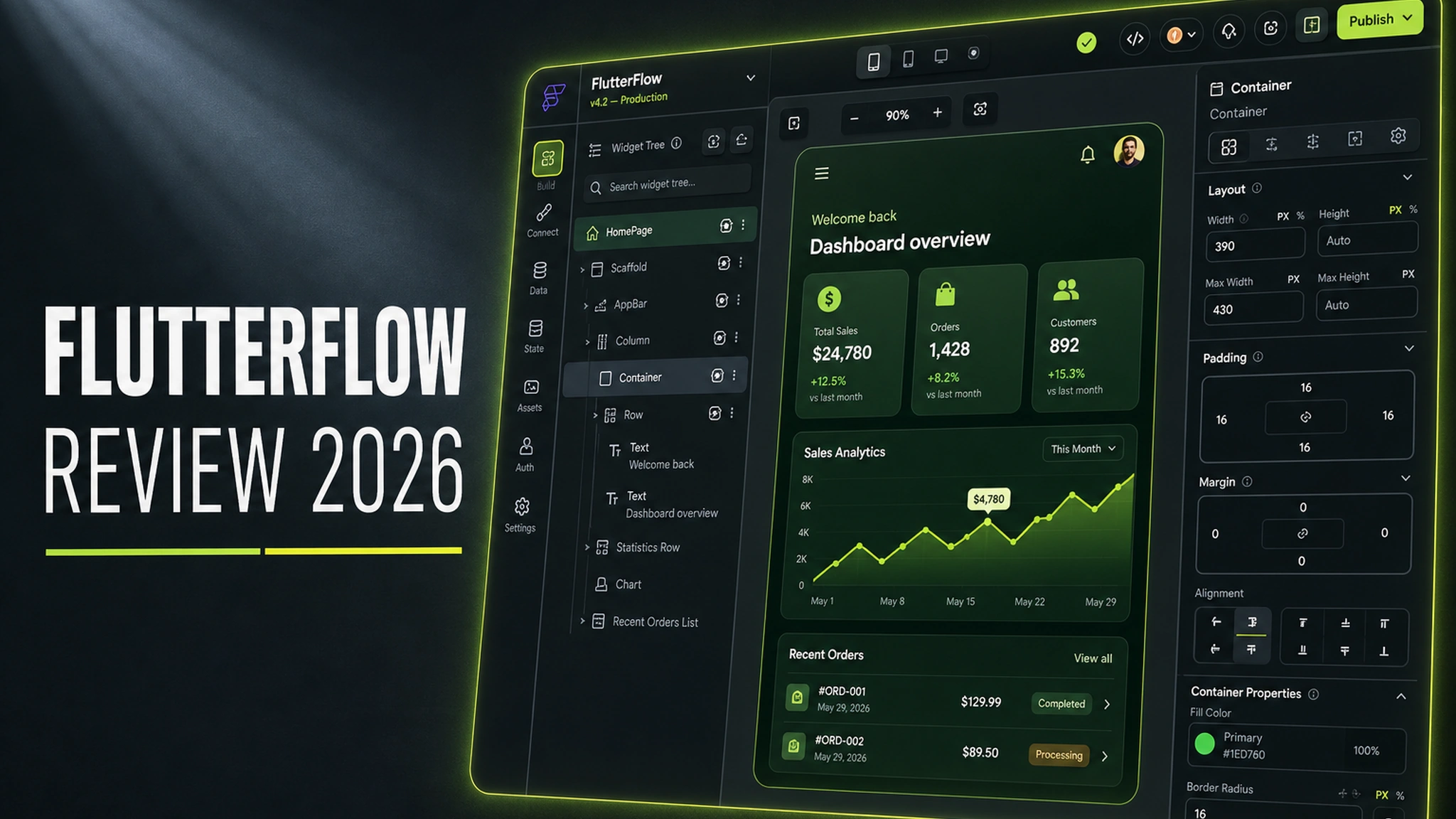
FlutterFlow: an attempt to reconcile no-code with real code
The idea of “build an app with your mouse” is roughly as old as smartphones themselves. But until recently, the result of such builders always hit the same ceiling: a pretty prototype that could never become a serious product. As soon as business logic grew complex, the team discovered that the platform only did what its authors had foreseen — and beyond that, a dead end.
FlutterFlow launched in 2020 as a direct answer to that problem. A Y Combinator team (founders Abel Mengistu and Alex Greaves) decided not to invent yet another runtime, but to place a visual editor on top of Flutter — Google’s open-source framework behind real production apps such as Alibaba, BMW, and Google Pay. Apps are not “rendered in the FlutterFlow cloud”: underneath there is always an ordinary Flutter project, and the visual editor is just a convenient layer over it.
That architectural decision is exactly what makes FlutterFlow interesting. It does not lock you into its own ecosystem the way classic no-code builders do. Let’s look at how that works in practice, what it costs, and where the platform still stumbles.
Official website: flutterflow.io
What FlutterFlow actually is
FlutterFlow is a cloud-based low-code environment for building mobile apps for iOS and Android, as well as web apps. Everything happens in the browser: you drag widgets onto a screen, configure their properties in the right-hand panel, and immediately see the result in a phone frame. No local environment, compilers, or IDE to install.
Key elements of the platform:
- Visual UI editor — over 200 prebuilt widgets, grids, lists, forms, navigation, transition animations.
- Firebase and Supabase integration — database, authentication, file storage, and cloud functions connect in just a few clicks.
- API Calls — connect any REST or GraphQL endpoint without writing code.
- Custom Code — insert your own Dart code and use any package from the Flutter ecosystem.
- State Management — manage app state (App State, Page State, and more complex scenarios).
- GitHub integration — sync code to your own repository.
- Code export — download a full Flutter project to disk.
The last two points — code export and GitHub — are what fundamentally distinguish FlutterFlow from “bubble” style classic builders you can never get code out of.
Pros and cons
Pros:
- Real Flutter code on output — no vendor lock-in.
- Decent development speed for simple and medium apps: an MVP comes together in days, not months.
- Powerful Firebase and Supabase integration — “backend out of the box.”
- You can write Dart when the visual blocks fall short.
- Lively community, template marketplace, extensive docs and video tutorials.
- Project export and GitHub sync.
- Cross-platform: one codebase for iOS, Android, and Web.
Cons:
- The platform is paid, and there is effectively no free tier for real work.
- Complex, heavily customized interfaces are slow and “sticky” to build — the visual editor gets in the way instead of helping.
- Generated code is often “noisy”: maintaining clean architecture in the exported project is hard.
- Firebase lock-in is convenient to start but moving to another backend takes work.
- Team collaboration requires a pricey tier.
- Heavy screens start to lag in the editor.
Functionality: layer by layer
Interface and screen building
The editor follows the familiar “canvas + inspector” logic. The left column shows the widget tree, the center the layout, the right the properties of the selected element. Flutter widgets are renamed into understandable entities: containers, columns, rows, texts, buttons, images. For typical tasks (feed, product card, sign-up form, account page) there are templates.
The strongest point is components. Once you build a product card, you can turn it into a reusable component with parameters and drop it anywhere. This is no longer a “drawing tool” but a proper interface-building system.
Worth noting is Figma import: a design can be partially transferred into FlutterFlow, saving layout work for design-driven teams. It works imperfectly, but for typical designs it noticeably speeds up the start.
Logic, data, integrations
Logic is assembled from ready-made actions: “navigate to screen,” “call API,” “update document in database,” “show message,” “write value to App State.” For complex conditions there is a visual expression and conditional-logic editor. When that falls short, Custom Code takes over: you write a Dart function and it becomes available as a regular block.
Firebase integration is what people love most about FlutterFlow. Authentication (e-mail, Google, Apple, anonymous), Cloud Firestore, Realtime Database, Storage, Remote Config — all of it connects in an evening for most MVPs. Supabase works similarly if you prefer an open PostgreSQL stack.
Export, GitHub, and code ownership
The ability to download the project and sync with GitHub is the main argument for those afraid of vendor lock-in. You get an ordinary Flutter project that builds with standard flutter build and can be worked on in any IDE. However, it is not “clean” Flutter: the code is generated automatically, with many service abstractions, and maintaining it by hand in exported form is noticeably harder than writing from scratch. Export is insurance and an entry point, not a free transformation into a tidy codebase.
Publishing apps
FlutterFlow lets you build for the App Store and Google Play right from the interface, but a real release usually requires a suitable subscription tier, plus developer accounts for Apple ($99/year) and Google ($25 one-time). These are separate costs that beginners often forget.
Pricing: what it costs to work
FlutterFlow runs on a subscription. As of publication the main tiers look like this (prices are approximate; check the site for exact figures):
- Free — a free tier for evaluation, but with significant build limits and no publishing. It is not enough for a real project.
- Standard — roughly from ~$30 per month (with annual billing). For a single developer, personal and small projects.
- Pro — roughly from ~$70 per month. Removes most restrictions, opens API integrations, code export, more builds.
- Team / Enterprise — team and corporate tiers, billed per user with extended rights, SSO, and support.
An important nuance: besides the subscription, there are almost always backend costs. Firebase has its own free tier, but the bill grows as users grow. The real cost of ownership is FlutterFlow + Firebase + developer accounts + possible paid packages.
For comparison, renting a VPS for your own backend is cheaper and more predictable but requires someone who can work with it. If budget matters, do the math in advance.
In practice: who it suits and how
Scenario 1. A founder with no technical team. FlutterFlow is one of the few ways to build a real mobile MVP without hiring developers. In a month you can realistically reach a version worth showing investors and first users. The limit is the complexity ceiling: the more unusual the logic, the more often you will dive into Dart.
Scenario 2. A small team with an in-house developer. Here the win is speed. The designer hands over a mockup, the developer assembles screens and connects Firebase, and writes complex logic in Dart. FlutterFlow covers the “boring” part — layout and typical integrations.
Scenario 3. Internal tools and admin panels. For service apps (order picker, warehouse, checklists, reporting) the platform fits almost better than anything: speed matters more than ideal architecture.
Scenario 4. A complex product with high performance requirements. For example, apps with heavy animation, video processing, non-standard gestures, or very precise control over rendering. Here the visual editor hurts: you will fight it and still hit manual Dart.
Also keep in mind the illusion that “we no longer depend on developers.” The platform lowers the entry barrier but does not remove engineering tasks: architecture, security, backend optimization, monetization, analytics. Low-code changes the question from “who will write this” to “who will maintain this.”
Verdict
FlutterFlow is one of the most successful tools in the low-code category for mobile development. Its key difference is real Flutter on output rather than a closed sandbox. That makes it an acceptable deal for those afraid of vendor lock-in: in the worst case you still have code you can develop yourself.
When to use it: MVPs and prototypes; internal apps; simple and medium-complexity products with a typical feature set (auth, feeds, forms, catalogs, orders); teams that need to test a hypothesis fast.
When not to use it: if the project inherently requires a non-standard interface and complex logic; if perfectly clean code architecture is critical; if there is no budget for the subscription and backend and the free tier is not enough.
A simple criterion: take the task you want to build. If it can be described as “screen → data → action → screen,” FlutterFlow will almost certainly speed you up. If the task sounds like “we need our own engine,” go with pure Flutter and spare both yourself and the editor.