Mobile development long lived by a simple rule: either fast, or with source code. Classic no-code platforms gave you speed but locked the project inside a proprietary engine. Building on React Native gave you control but demanded a team and months of work. Draftbit tries to merge both worlds: a visual editor that hands you real React Native code on the way out, not a black box.
It sounds like the perfect compromise — but the devil is in the details. We took Draftbit apart: what it can do, where it stumbles, how much it costs, how it compares to FlutterFlow and Adalo, and who it is really for.
What Draftbit Is
Draftbit is a cloud platform for building mobile apps. It runs entirely in the browser, and the output is a React Native project on the Expo framework. The core idea is simple: you assemble the interface with a mouse on an infinite canvas, connect data, and the platform generates real code you can download, run locally, and edit by hand.
That is exactly what sets Draftbit apart from “black box” no-code builders, where the app exists only inside the service. There is no hard vendor lock-in: if you fall out of love with the platform tomorrow, the project keeps living in a standard React Native toolchain and can be developed without Draftbit.
In recent years the product has shifted noticeably toward AI. The editor is now built around agents (powered by popular coding models), and part of the work can be described in words instead of assembled by hand. Draftbit no longer positions itself as just a builder, but as a hybrid environment between no-code and full-fledged development.
Pros and Cons
Let’s be honest from the start — there are plenty of cons too.
Pros:
- A real React Native/Expo codebase on output, with no vendor lock-in.
- A visual editor on an infinite canvas that a non-developer can understand.
- AI agents turn a text description into a working screen.
- Ready-made integration with Supabase and any REST/GraphQL API.
- Live preview in the browser, on a device, and in iOS/Android simulators.
- Publishing to web, the App Store, and Google Play from one place.
- Export to GitHub and zip, plus support for custom code components.
- Clear navigation: stacks, tabs, and drawer menus configured visually.
Cons:
- Pricing is measured in credits: heavy agent generation drains the limit fast.
- Full code export and store publishing are only available on paid tiers.
- The editor targets desktop: building from a tablet or phone is hard.
- The list of ready integrations is narrower than the world of native modules.
- The platform targets the English-speaking market — no Russian support or docs.
- Complex animations, unusual gestures, and heavy native logic still require hand-written code.
- The credit model makes spending less predictable than a flat subscription.
What Working in It Looks Like: Editor and Components
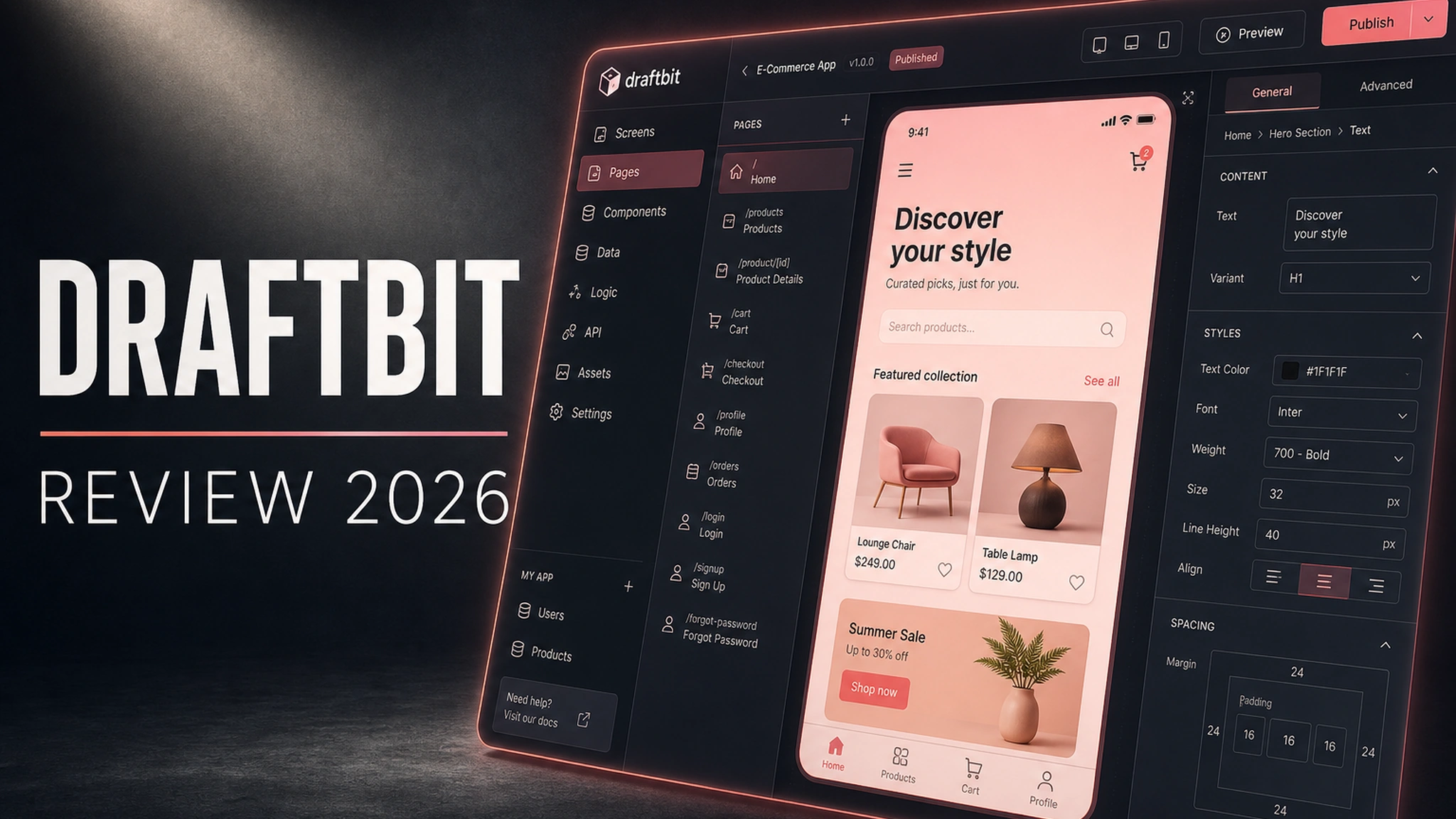
Draftbit is built on a visual editor. Screens are listed on the left, the canvas sits in the middle, and the properties of the selected element are on the right. Components are dragged with a mouse: text blocks, buttons, images, lists, forms, maps, tabs, navigation bars. Every element offers spacing, typography, states (normal, pressed, disabled) and responsiveness across screen sizes.
Components are described the same way as in the React Native world — they are the same views and styles, just assembled through a panel. Better still, you can write your own JavaScript components and connect external libraries when the standard ones are not enough. This is the key difference from “closed” builders: Draftbit is not afraid of you looking under the hood.
Navigation is a separate layer. Stacks, tabs, and drawer menus are supported, with transitions and parameter passing configured between screens. Navigation is where visual builders usually fall apart, but here it comes together predictably and exports just as predictably to code.
There is collaboration too: on team tiers, several people can edit a project at the same time, with roles and permissions separated. For agencies and product teams this is critical — no more emailing files around or taking turns.
AI Agents: From Description to Screen
The new core of the product is agents. You write in plain language what you need (“add a profile screen with an avatar, a name, and a logout button”), and the agent changes the project. Changes show up immediately in both the visual editor and the code, and the result can be checked in a live preview.
It is an interesting hybrid model:
- The designer edits screens with a mouse and guards visual consistency.
- The developer reads the code, wires in external libraries, and refines logic.
- The agent handles the routine: draft screens, forms, typical components.
But it is precisely the agents that cost money. They consume credits, and access is limited on the free tier. A project can run in several isolated cloud sandboxes at once — more on higher tiers — and multiple agents can run in parallel. That speeds things up, but demands care: the more agents are running, the faster the monthly limit disappears.
Data and Backend
Draftbit does not force a specific backend, but by default it nudges you toward Supabase. That is convenient: a database, authentication, and an API appear with almost no setup, and a starter project gets a working backend right away.
Beyond that, the platform connects to any REST and GraphQL endpoints and pulls data from tables and external services. Custom MCP servers are available on higher tiers — a mechanism that lets an agent work with your data sources directly. It sounds abstract, but in practice it means the agent can not only lay out screens but also pull the data schema from your service.
For a typical MVP that is more than enough: a product list, user profiles, orders, chats, a feed — all built on standard integrations. And if you need a unique data source, you connect it through a plain REST request without any fuss.
Code and the Absence of Vendor Lock-In
Draftbit’s main argument is source export. From a certain tier, a project can be exported as an archive or pushed to GitHub. These are the “real” React Native files that build through Expo and open in any code editor.
What that gives you in practice:
- The project can be handed to a development team without loss.
- You can add a native module that the builder does not have.
- You can leave the platform without rewriting the app from scratch.
- The code is versioned in git like any normal project.
- You can plug in your own models and API keys.
For a business this lowers risk: even if the platform changes prices or shuts down, the app stays with you. That is why Draftbit is often chosen as a “safe” first step into mobile development — one with an exit.
Publishing to the Web, App Store, and Google Play
Draftbit can publish an app in several ways. The simplest is the web version on a draftbit.dev subdomain, available even on the free tier. From there come iOS and Android builds and publishing to the app stores.
On the Pro tier they promise help with App Store submission — a real relief for your nerves, since Apple’s and Google’s rules are a quest in themselves. Custom domains and removal of Draftbit branding are available on paid tiers: for a client product that is the bare minimum, because someone else’s builder logo on your app screen looks unprofessional.
Remember the stores’ own requirements: developer accounts (Apple Developer, Google Play Console) still have to be paid for by you, and no builder will do that for you.
Pricing
The billing model is credits. A tier gives you a monthly pool of credits, and they are spent on work — above all on AI agents. Manual mouse-driven building spends few credits; heavy generation spends a lot.
Approximate tiers at the time of writing (check the official pricing page — the limits and grids have changed more than once):
- Free — $0: up to ~10,000 credits per month, a few projects, the visual editor, web publishing to draftbit.dev, limited agent access.
- Standard — around $20/mo: more credits, unlimited projects and integrations, full code export, iOS/Android/web publishing, custom domains, branding removal.
- Pro — around $40/mo: even more credits, multiple concurrent agents, custom MCP servers, GitHub export, simulators, App Store assistance, priority support.
- Team — around $200/mo: ~250,000 credits, 10 editor seats, live collaboration, training sessions.
- Enterprise — custom: SSO/SAML, private or self-hosted deployment, SLA, dedicated infrastructure.
Annual billing usually comes with roughly a 20% discount. Different sources quote different numbers — so go by the official page: Draftbit’s pricing grid has changed several times, and credit limits depend on current policy.
Tests and Practical Scenarios
We ran through several typical scenarios to see where Draftbit is strong and where it is not.
Startup MVP. An onboarding screen, Supabase auth, a product list from a REST API, a product card, a cart. Most of it is assembled visually in hours, the rest is finished by the agent. Launching to the stores needs at least the Standard tier. Verdict: an excellent scenario — this is what the platform was made for.
Internal tool. An employee app: a task list, forms, a directory, push notifications. This is where Draftbit shines — you do not need perfect design, you need speed and a working backend. Credits are low because everything is standard.
Marketplace. Harder: you need payments, roles, moderation, a payment provider integration. Part of the logic will have to be written in code or handled by third-party services. Draftbit copes, but it stops being a “builder for a beginner.”
A game or hardware work. Honest verdict here — not this tool. Heavy graphics, a real-time camera, Bluetooth devices, complex animation: that is native development territory, and a visual builder only gets in the way.
Draftbit vs Competitors
Let’s compare it to the main alternatives.
Draftbit vs FlutterFlow. FlutterFlow generates Flutter code, Draftbit generates React Native. If your team knows Flutter and Dart, FlutterFlow makes more sense. If it is JavaScript and React Native, go with Draftbit. In ecosystem maturity FlutterFlow looks denser; in code flexibility Draftbit is closer to “real” development.
Draftbit vs Adalo. Adalo is friendlier to newcomers and simpler in the basic scenario, but locks you into its environment far more: export and control over the code are limited. Draftbit is harder at the start, but it hands over the source.
Draftbit vs Bubble. Bubble is about web apps, Draftbit is about mobile. For a marketplace or SaaS in the browser, take Bubble; for an app in the stores, Draftbit.
Draftbit vs native development. A native team gives maximum control and performance, at the cost of time and budget. Draftbit wins where time-to-market matters and the product is still testing a hypothesis.
Security and Teamwork
A question often asked in procurement forms: where is the data stored? Project code lives in Draftbit’s cloud, but private and self-hosted options, plus SSO and SAML, are available on team tiers. For the corporate segment that is a must, and the platform covers it.
On the free and lower tiers, role separation is modest, and live collaboration appears only on Team. If more than one or two people work on a project, it is worth looking at team tiers right away — otherwise you will be coordinating “in turns.”
Performance Limits and Pitfalls
A Draftbit app is plain React Native, so in speed it does not lag behind a hand-built app on the same stack. Native rendering is preserved, and the interface stays responsive. Problems start where a product hits complex logic that simply has no ready-made block in the builder.
Pitfalls worth knowing in advance:
- Credits are spent unpredictably. Active agent work can burn a monthly limit in a few days, and it is not obvious at the start.
- Some features are on paid tiers. Code export, simulators, GitHub integration — all beyond Free.
- The template ecosystem is more modest than the big web builders: do not count on a turnkey solution.
- Platform updates. Draftbit has changed tiers and limits several times, so budgets should be revisited yearly.
Who Draftbit Is For
Draftbit is not a replacement for native development and not a toy builder. It is a tool for specific situations:
- Founders and product managers who need an MVP in the App Store in weeks, not months.
- Teams with a React Native developer who want to speed up layout routine.
- Agencies building client apps from a template.
- Internal tools: apps for employees, field teams, accounting.
- Designers who want to take a mockup to a working app without a team.
It will not fit if the app needs heavy native logic (games, hardware, complex graphics) or if the budget simply cannot include a subscription.
FAQ
Do I need to know how to code? No. The basic scenario is assembled visually. But the more complex the product, the more useful JavaScript and React Native knowledge becomes.
What happens if I stop paying? You can export the code and continue development on your own. The app does not stop working.
Can I use my own backend? Yes, via REST or GraphQL. Supabase is just a convenient default backend, not a requirement.
Does Draftbit publish the app for me? The platform helps with builds and submission, but the developer accounts at Apple and Google are set up and paid for by the user.
How many credits do I need? It depends on how heavily you use agents. Manual building is cheap; word-driven generation is expensive.
Verdict
Draftbit is one of the few no-code/low-code tools that does not try to lock you inside its sandbox. Real React Native code, GitHub export, AI agent support, and a clear path to the App Store — a strong combination for launching a mobile product fast.
You pay for it in credits and a subscription: the free tier is good for trying, learning, and web publishing, while a real product needs at least Standard. The credit model is the main drawback: spending is harder to predict than with a flat subscription, especially if the team runs agents heavily.
If you need control over the code and speed, Draftbit is worth a short test: the free tier lets you evaluate the editor before you pay. If you need maximum performance and native features, a classic development team is still unmatched.
Have you tried building a mobile app visually yet? Share your experience — what won: the speed of the builder or the freedom of code?