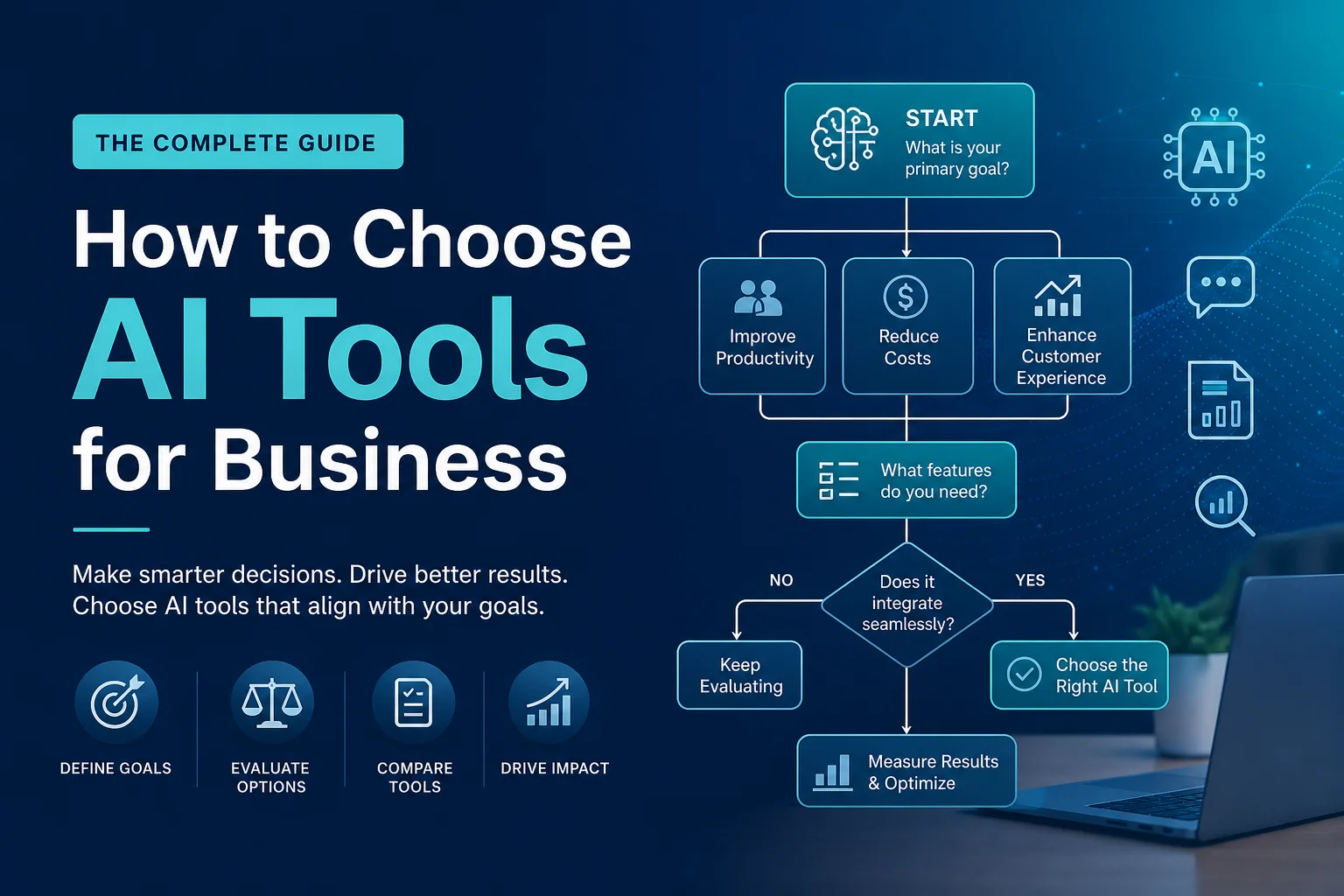
How to Choose AI Tools for Business
The AI tools market in 2026 resembles a gold rush: thousands of products, big promises, FOMO from competitors. According to Gartner, 80% of companies will use AI in daily operations by 2027. But here’s the problem: 60% of AI implementations fail to deliver expected ROI — because tools are chosen incorrectly.
Recommended platforms: openai.com, claude.ai
This guide is not about “which AI is best,” but about how to choose AI that solves YOUR specific problem without wasting budget.
Step 1: Define the Problem, Don’t Hunt for “AI”
The most common mistake: “We need AI.” The right approach: “We have problem X — can AI solve it more efficiently than our current approach?”
Examples of proper problem framing:
| Problem | AI Category | Examples |
|---|---|---|
| Content managers can’t keep up with writing | AI Writers | Jasper, Copy.ai, Writesonic |
| Support drowning in repetitive questions | AI Chat | Intercom Fin, Crisp AI, Tidio |
| Video storyboarding takes too long | AI Video | Synthesia, Runway, HeyGen |
| Analysts spend weeks on reports | AI Analytics | ChatGPT Advanced Data, Claude |
| Designer overloaded with banners | AI Design | Midjourney, DALL·E, Canva AI |
| Developers writing boilerplate | AI Coding | GitHub Copilot, Cursor, Claude |
Pre-search checklist:
- Problem is concrete (not “want AI,” but “want to reduce X time by Y times”)
- Current task costs are known (hours × employee rate)
- Success KPI is defined (time, money, quality)
- Implementation owner is assigned
Step 2: Choose Category and Format
AI tools come in three deployment types:
1. Standalone Services (SaaS with AI inside):
- Ready products for specific tasks
- Quick start: register → pay → work
- For: SMB, marketing departments
2. AI Platforms and APIs:
- LLM access via API for custom solutions
- Require development: integration, prompts, UI
- For: tech companies, enterprise with IT teams
3. AI Features in Existing Tools:
- AI built into what you already use
- No new subscriptions needed
- For: everyone — always start here
Rule: first check AI features in already-paid tools → then standalone services → only if nothing fits, custom development.
Step 3: Evaluate by 5 Criteria
Criterion 1: Output Quality (weight 35%)
- Test on YOUR real tasks, not demos
- Get a trial and give tasks to actual employees (not managers!)
- Compare 2–3 tools on the same task set
Criterion 2: Integrations (weight 20%)
- Does it integrate with your current stack? (CMS, CRM, Slack)
- API or Zapier/Make for connecting with other tools
- Export/import: don’t get locked into an ecosystem
Criterion 3: Price vs Value (weight 20%)
- Formula: Tool price / (Hours saved × Hourly rate) = Payback
- Example: Jasper at $49/mo saves 30 copywriter hours ($20/hr) = $600 saved. ROI = 12×
Criterion 4: Security & Compliance (weight 15%)
- Where is data processed? (GDPR, etc.)
- Are your data used to train models?
- SOC 2, ISO 27001 certifications?
Criterion 5: Support & Community (weight 10%)
- Documentation quality
- Support response speed
- Community activity
- Update frequency
Step 4: AI Budgeting
Typical budgets by business size:
- Freelancer/Solo: $50–200/mo — ChatGPT Plus + Canva AI + Notion AI
- Small Business (5–50): $200–1,000/mo — AI writer + AI chat + AI design
- Mid-Market (50–500): $1,000–10,000/mo — team AI tools in every department
- Enterprise (500+): $10,000–100,000+/mo — custom AI workflows
Step 5: Implementation Without Failure
30-Day Implementation Plan:
- Week 1 — Pilot: 2–3 employees test on real tasks
- Week 2 — Prompts & Templates: Build prompt library, set up brand templates
- Week 3 — Team Training: Workshop, real case studies, checklists
- Week 4 — Scaling: Full team onboarding, tool integrations, assign AI champion
Red Flags:
- Employees use AI secretly, afraid to admit it — culture problem
- AI results aren’t verified — garbage output
- Still paying after 3 months but nobody uses it — cancel
Top 5 AI Tools by Category
Content: Jasper, Copy.ai, Writesonic, ChatGPT/Claude, Notion AI Design: Midjourney, Canva AI, DALL·E, Adobe Firefly, Leonardo AI Video: Synthesia, Runway, HeyGen, Descript, Pictory Coding: GitHub Copilot, Cursor, Claude, ChatGPT, Amazon Q Customer Service: Intercom Fin, Tidio AI, Crisp AI, LiveChat AI, ChatBot.com
Conclusion
Choosing an AI tool is not a technology race — it’s a pragmatic business decision. The best AI tool is the one that solves a specific problem, pays for itself in 3–6 months, and doesn’t require heroic implementation efforts.
Start small: one task, one tool, one department. Achieve measurable results. Only then scale. AI transformation is a marathon, not a sprint.