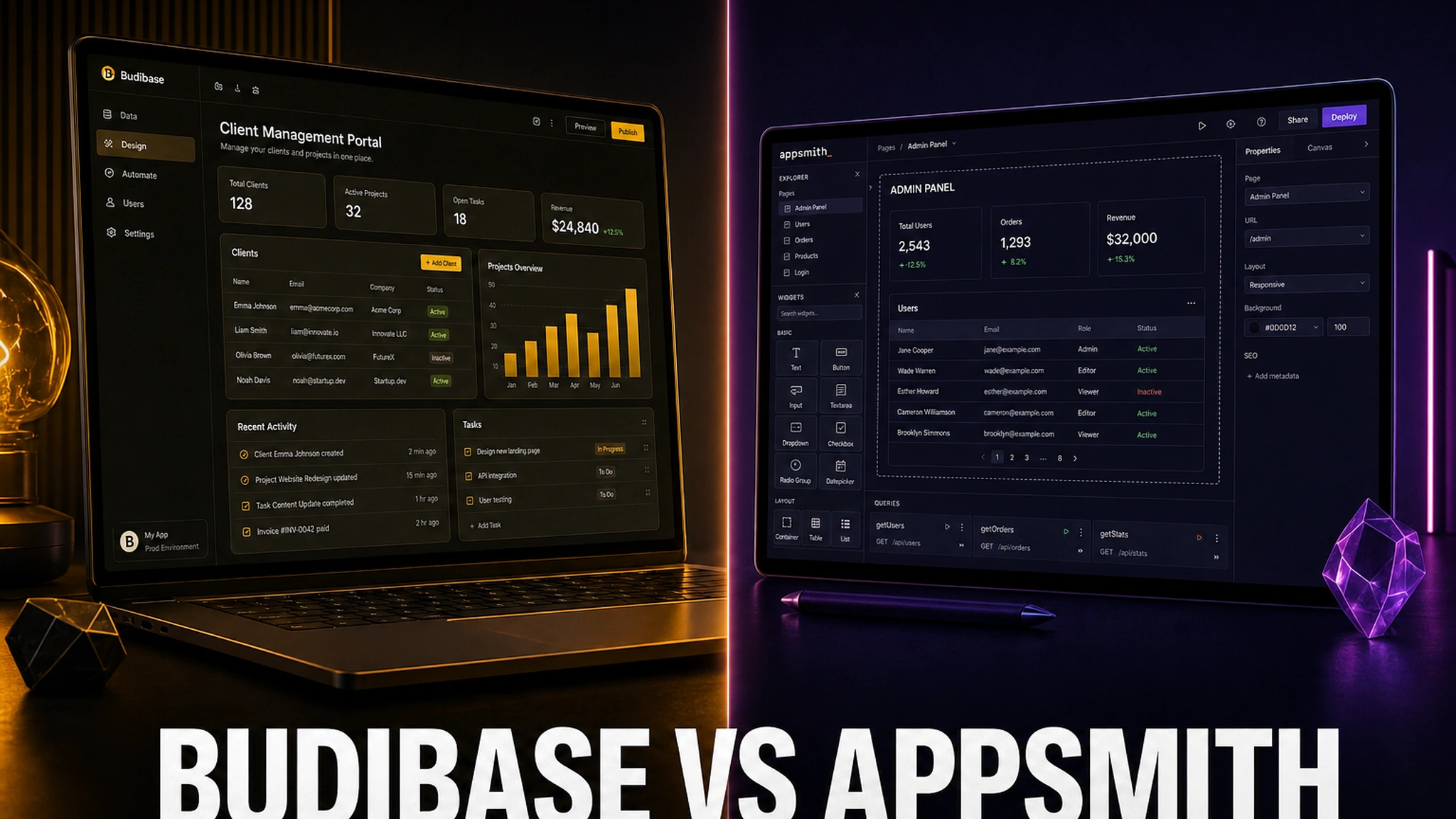
Budibase and Appsmith are the two most popular open-source platforms for building internal tools: admin panels, CRUD interfaces, dashboards and operational apps on top of databases and APIs you already run. Both are free to self-host, both grew out of the same demand — “I don’t want to pay a seat for every employee who merely opens a support panel” — and both have spent 2026 repositioning themselves around AI-assisted app generation.
Their philosophies, however, could hardly be more different. Appsmith is the developer’s builder: Apache-2.0, JavaScript everywhere, maximum control over logic, and linear cloud pricing at $15 per user. Budibase is the team’s builder: GPL-3.0, a built-in database, screens generated from your data model, and pricing metered on creators and actions rather than on seats.
This comparison walks through what actually matters: licenses and open-source risk, architecture and self-hosting overhead, the building experience, automations, AI features, real pricing, and — most importantly — which teams should choose which platform.
Sites: budibase.com | appsmith.com
How the internal tools market changed by 2026
A few years ago Retool effectively defined this category, but its $12–15-per-seat model made the market extremely receptive to open-source alternatives. Appsmith and Budibase grew on exactly that pitch: a visual builder without a bill for every person who only reads a dashboard.
By 2026 the picture has become more nuanced in two ways. First, both vendors have drawn a sharper line between a free self-hosted open-source core and commercial cloud tiers — “free” still exists, but its boundaries have moved, and features that used to live in the core now often belong to an Enterprise edition. Second, a third cost axis appeared: AI credits and “actions,” which now influence the bill as much as user counts do. Choosing between the two platforms is no longer just “who has more features” — it is increasingly “whose licensing and metering model is cheaper over a five-year horizon.”
At a glance: who’s who
Appsmith is the Apache-2.0 project with the largest community in the class: roughly 41,000 GitHub stars and about 380 contributors, shipping regularly (v2.3 arrived in August 2026). It targets engineering teams. You drag widgets, attach SQL or JavaScript, and get an admin panel on top of Postgres, MySQL or any REST API. Logic depth is the highest in the category, but the learning curve is steeper — basic SQL and JS skills are effectively required. Git integration with branches, environments and CI/CD is a core strength.
Budibase is GPL-3.0 (roughly 26,000–28,000 stars) and takes a data-first approach: you define tables and relationships in the built-in BudibaseDB, and the platform generates screens and forms for you. That lowers the barrier dramatically for teams without a dedicated developer, and a built-in automation engine lets you assemble a full workflow tool out of the box. The trade-off is less flexibility for complex logic and a heavier service stack to run.
Head-to-head comparison
| Criterion | Appsmith | Budibase |
|---|---|---|
| Core license | Apache-2.0 | GPL-3.0 |
| Philosophy | UI-first, developer-oriented | Data-first, team-oriented |
| Built-in database | No (works on your sources) | Yes (BudibaseDB on CouchDB) |
| Self-hosting | Free Community Edition, unlimited users | Free, unlimited users and apps |
| Cloud free tier | Up to 5 users | Free tier phased out for new users |
| Paid cloud model | $15/user/mo (Business); $2,500/mo for 100 users (Enterprise) | Metered on creators + actions: Pro from ~$20/mo, extra creators $50/mo, end users $5/mo |
| Logic | JavaScript anywhere | Handlebars + JavaScript, visual automations |
| Versioning | Git branches and environments | Built-in, more limited |
| Automations | Workflows (Business and up) | Automation engine in the open-source core |
| AI | Ask AI (SQL/JS in the editor) | AI app generation, bring your own provider |
| Runtime footprint | A single Docker container | CouchDB + MinIO + Redis + app + worker |
| SOC 2 Type II | Yes (Enterprise) | Not held by the vendor (data centers certified) |
Licenses and open source: where the catch is
Both platforms call themselves open source, but their licenses behave very differently — and that matters to companies with legal constraints.
Appsmith is Apache-2.0. That is a permissive license: you can fork, modify and use it commercially without releasing your changes or paying royalties. It also includes an explicit patent grant and a patent retaliation clause, which is exactly why corporate legal teams tend to prefer it. One practical 2026 nuance: the public repository holds the community core, yet the documentation recommends the appsmith-ee image by default — the commercial edition with a free plan. For the pure community build you swap in appsmith-ce in the same docker-compose file. Enterprise code and its license are not in the public repo, and the EE image calls back to cs.appsmith.com for license validation. If phone-home is unacceptable, run CE and accept the feature cut.
Budibase is GPL-3.0. That is copyleft: if you modify the code and distribute the modified version to others, you must release your changes. For purely internal use by your own employees the network clause doesn’t bite (and Budibase isn’t AGPL anyway), but if you plan to resell the platform or embed it in your own product, work out the licensing in advance.
The bottom line on licenses: Appsmith is the more permissive choice (Apache-2.0), while Budibase requires copyleft discipline. If your legal team prefers MIT/Apache, Appsmith wins.
Self-hosting and architecture
Both can run on your own server with no license fee. The difference is operational overhead.
Appsmith starts as a single Docker container. The documentation notes that installations want around 8 GB of RAM on the host and outbound access for image pulls. Kubernetes is supported for scale, with state held in external services. For a small team this means one container on a VPS and you are done.
Budibase is a multi-service stack: CouchDB for the internal database, MinIO or S3-compatible storage for files, Redis for caching, plus app and worker containers. Flexible, but it demands more DevOps attention — backups, upgrades, TLS and network access are all yours to handle.
Either way, a standard VPS works well. If you self-host for cost and data control, pick a host with enough RAM (8 GB and up) and fast SSD storage — a Russian provider such as Sprinthost or Timeweb with SSD plans and root access covers a Budibase stack comfortably. This matters: even a “free” open-source platform still needs a server, and its specs decide how the app behaves under real load.
⚠️ A note on Budibase: the default self-hosted configuration caps you at 5,000 rows per SQL query, 10 requests per second on the API, and a 15,000 ms automation step timeout. That is usually fine for internal admin panels, but heavy reports need careful design.
Building experience: UI-first vs data-first
This is where the two products diverge at the root.
Appsmith is UI-first. You start on the canvas with widgets — table, form, chart, button. Logic is JavaScript written directly into component properties (“anywhere,” as the vendor puts it), and queries are SQL or REST/GraphQL. There are reusable packages, custom widgets and Git integration for branching and environment promotion. The upside is total control and a familiar developer model. The downside is the learning curve: to build anything serious you need solid SQL and JS.
Budibase is data-first. You describe your data — tables, columns, relationships, views — in BudibaseDB or an external source, and the platform generates a working CRUD interface. You then refine screens by dragging components (30+ available), bind data with Handlebars or JavaScript, and get built-in routing and authentication with a role model out of the box. The downside is a complexity ceiling: once logic goes well beyond CRUD and forms, flexibility runs out and you hit the visual builder’s limits.
In plain terms: Appsmith when you have a developer and complex logic; Budibase when you need speed without a developer.
Data sources and connectors
Appsmith offers 12–13 first-class sources: PostgreSQL, MySQL, MongoDB, Microsoft SQL Server, Oracle, Snowflake, Redshift, DynamoDB, Elasticsearch, Redis, S3, Firestore, plus SaaS integrations (HubSpot, Salesforce, Google Sheets, Airtable, Jira, Notion, Mixpanel) and any REST or GraphQL API. Broad coverage, including analytical warehouses.
Budibase pairs BudibaseDB with connectors for PostgreSQL, MySQL, MSSQL, MongoDB, CouchDB, Oracle, Airtable, Google Sheets, REST APIs and S3. If you want a self-contained data store without an external database, BudibaseDB saves setup time. If your data lives in Snowflake or Redshift, Appsmith is the smoother fit out of the box.
Automations and workflows
Budibase is traditionally strong here: its automation engine ships in the open-source core. Triggers include row creation/update, schedules, webhooks and app actions; actions include database updates, sending email, calling REST APIs and delivering webhooks. That is enough to build not just the interface but the background processes too — approvals, notifications, cross-system sync.
Appsmith offers Workflows, but they are part of Business and higher tiers, so they are absent from the free self-hosted core. If your requirement is “admin panel plus an automation chain” without paying for a license, Budibase wins objectively.
AI features
In 2026 both vendors sell AI as the headline reason to upgrade, but they implement it differently.
Appsmith: the editor hosts “Ask AI,” an assistant that writes SQL and JavaScript from a description (in the Community Edition since v2.3, with a provider configured). A separate, older “AI datasource” reaches end of life on September 30, 2026, while “AI Agents” were in limited rollout as of mid-2026 via a separate appsmithai.com platform and are not part of standard tiers. In practice, Appsmith’s AI is developer assistance inside the editor.
Budibase: bets on generating apps from a description and supports bringing your own AI provider — important for companies that won’t send data to a third-party cloud. The approach is friendlier for non-developers, but generation depth is shallower than Appsmith’s when an experienced engineer is driving.
The verdict: if AI means speeding up a developer working with code, Appsmith edges ahead; if AI means letting the business build an app without a developer, Budibase wins.
Pricing: cloud and self-hosting
This is the most sensitive section, and the numbers can be misleading.
Appsmith (early 2026):
- Free cloud — up to 5 users, 5 workspaces, 3 Git repos, public apps;
- Business — $15 per user per month, up to 99 users: Workflows, reusable packages, premium integrations, custom roles, audit logs, branding removal;
- Enterprise — from $2,500 per month for 100 users (~$25/user), typically billed annually: SAML/OIDC SSO, SCIM, CI/CD, private app embedding, air-gapped and managed hosting;
- a separate line item: $0.40 per hour for public-app end users;
- self-hosted Community Edition — free, with no user cap.
Budibase (early 2026):
- self-hosted open-source core — free, with unlimited creators, users, apps and automations;
- cloud: the free tier has been phased out for new users; paid plans start at roughly $19–23 per month (Pro), rising to Premium and Business (around $299/month billed annually with an action bundle);
- metered pricing: extra creators around $50/month, end users around $5/month, plus action limits.
The key practical takeaway: on the cloud, Budibase is usually cheaper for a team with many readers (end users) and few creators, while Appsmith is more predictable — a flat $15 per seat with no action surcharges. But once you pass 99 users, Appsmith jumps to Enterprise with a $2,500/month floor — and at that point self-hosting is the only sensible option.
What it really costs (TCO)
Scenario: 50 people, a set of internal panels.
- Appsmith Cloud Business: 50 × $15 = $750/month ($9,000/year), no DevOps burden.
- Self-hosted Appsmith CE: roughly $70–210/month in infrastructure plus 2–4 DevOps hours — cheaper than cloud for light usage, comparable once you need HA and a cluster.
- Self-hosted Budibase: free license plus a server (hosting-dependent) and the time to maintain the CouchDB + MinIO + Redis stack.
Industry estimates agree on one point: for a 50-person team running a dozen self-hosted tools, the annual stack cost is a fraction of equivalent SaaS subscriptions. But “free” here means “free plus infrastructure plus the person who runs it.” If you don’t have that person, cloud pricing more honestly reflects the real cost.
Security, roles and compliance
Both platforms provide basic role-based access control. The differences are in certifications and advanced capabilities:
- Appsmith: SOC 2 Type 2, SAML/OIDC SSO, SCIM provisioning, audit logs and custom roles — all at the Business/Enterprise level, absent from the community edition. Credentials are encrypted (AES-256), and SQL injection protection via prepared statements is on by default.
- Budibase: role-based access and authentication are built in, and self-hosting gives you full data control. But the project holds no SOC 2 Type II / HIPAA / HDS certifications of its own — only its data centers are certified. For regulated industries, that can be decisive.
If your audit requires SOC 2 Type 2 from the vendor, the question is settled in Appsmith’s favor (on Enterprise). If all you need is data isolation on your own infrastructure, Budibase is enough.
Which should you choose?
Choose Appsmith if:
- you have an engineer comfortable with SQL and JavaScript;
- you need complex, custom logic and deep control over the UI;
- Git branching, environments and a CI/CD process matter;
- a permissive license (Apache-2.0) is legally preferable;
- you need integrations with Snowflake, Redshift, Elasticsearch and similar stores;
- you require SOC 2 Type 2 and SAML/OIDC (on paid tiers).
Choose Budibase if:
- the builders will be an operations team, not developers;
- you want a built-in database and screens generated from your data model;
- you need automations immediately, without a paid license;
- your team is small but your readership is large — creator/action metering beats per-seat pricing;
- simple, predictable, unlimited free self-hosting is critical.
Verdict
There is no winner in a vacuum — only the right tool for the team. Appsmith is the engineering-culture pick: Apache-2.0 without licensing traps, maximum flexibility, predictable per-seat pricing, but a steeper entry curve and a heavy bill at 100+ users. Budibase is the operational-speed pick: built-in database, core automations, free self-hosting with no user limits and a far friendlier builder — paid for with less logic depth and no vendor certifications.
In one line: for engineering teams with unusual requirements, Appsmith; for fast internal tools built by a small team, Budibase.
Before you decide, answer two questions that matter more than any feature grid: who will maintain this a year from now, and how many people will actually open the app daily. Those answers — not feature lists — determine the final bill.
FAQ
Can both be used for free forever? Yes. Appsmith Community Edition (Apache-2.0) and the Budibase open-source core (GPL-3.0) are free to self-host with unlimited users. You pay for commercial editions, cloud, and features such as SSO or audit logs.
Which is easier to run on a single VPS? Appsmith — one Docker container. Budibase needs CouchDB, MinIO/S3 and Redis plus app and worker services, so more steps and more resources.
Where does Budibase limit performance? By default: 5,000 rows per SQL query, 10 API requests per second, and a 15,000 ms automation step timeout.
Do they support public-facing apps? Appsmith does, but public-app end users are billed at $0.40/hour on top of your plan (private embedding is Enterprise). Budibase is designed first and foremost for internal tools; public web is not its strength.
Can you migrate between them? There is no direct converter — apps are incompatible. The realistic path is rebuilding panels on the new platform and moving data (which lives in separate sources) and logic by hand. So choose with the next two to three years in mind.